

Please confirm
-
Make sure MemoLanes is actively recording and that its location permission is set to Allow all the time. Setting names and navigation paths may vary slightly depending on your device model and system version.
-
While recording, do not force stop MemoLanes or swipe it away from the Recents screen.
-
Allow MemoLanes to send notifications so that Android can continue displaying the persistent recording notification.
If recording stops after the screen has been off for a while, follow the instructions below for your device manufacturer.
Xiaomi, Redmi, and POCO (MIUI / HyperOS)
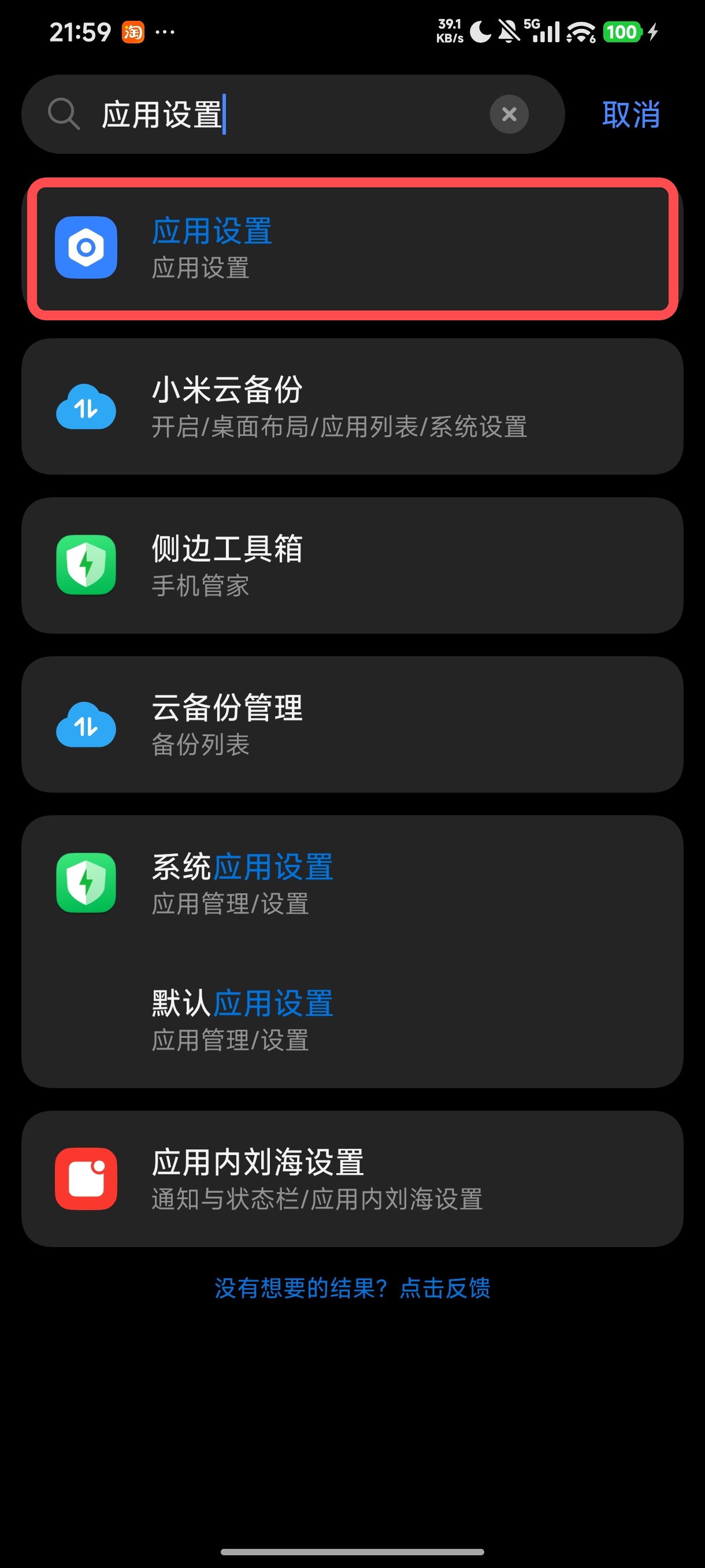
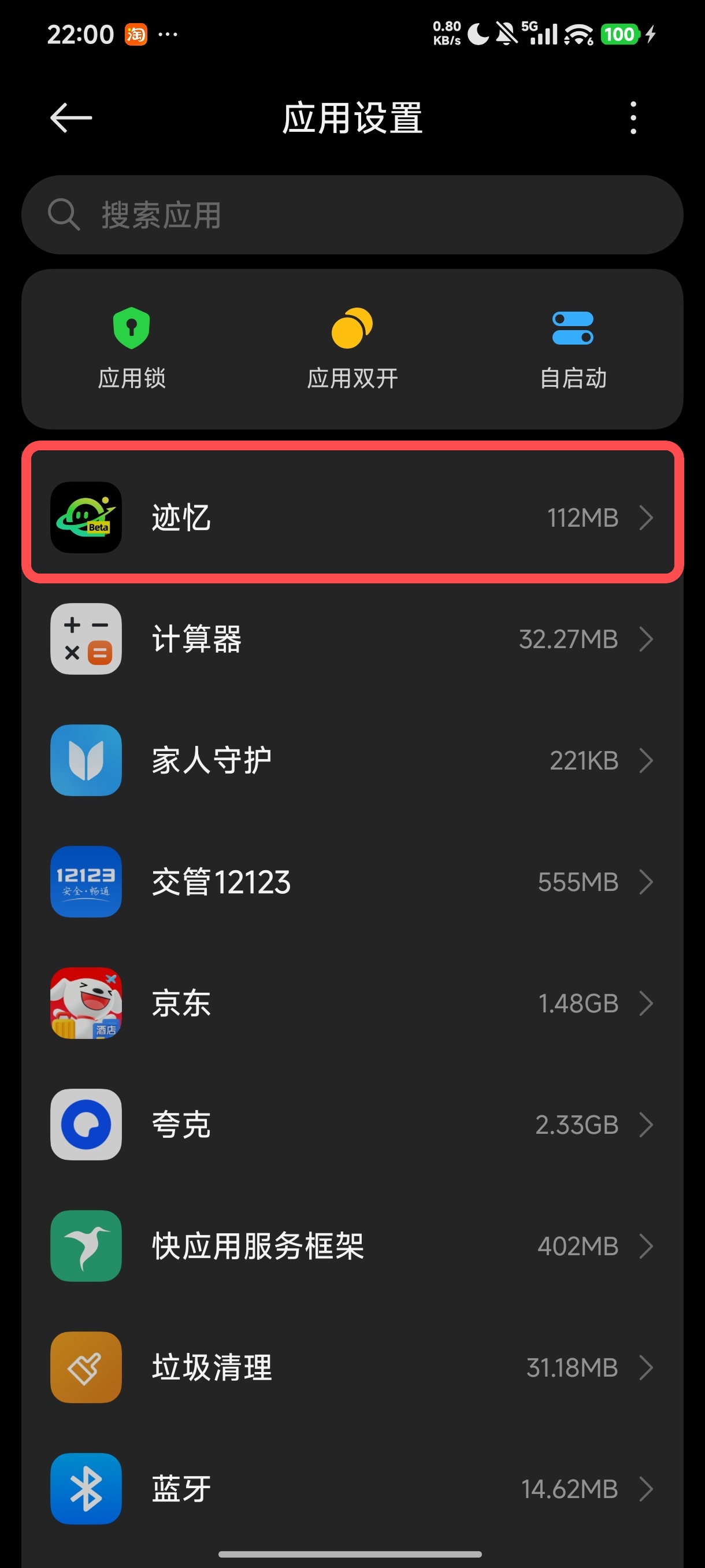
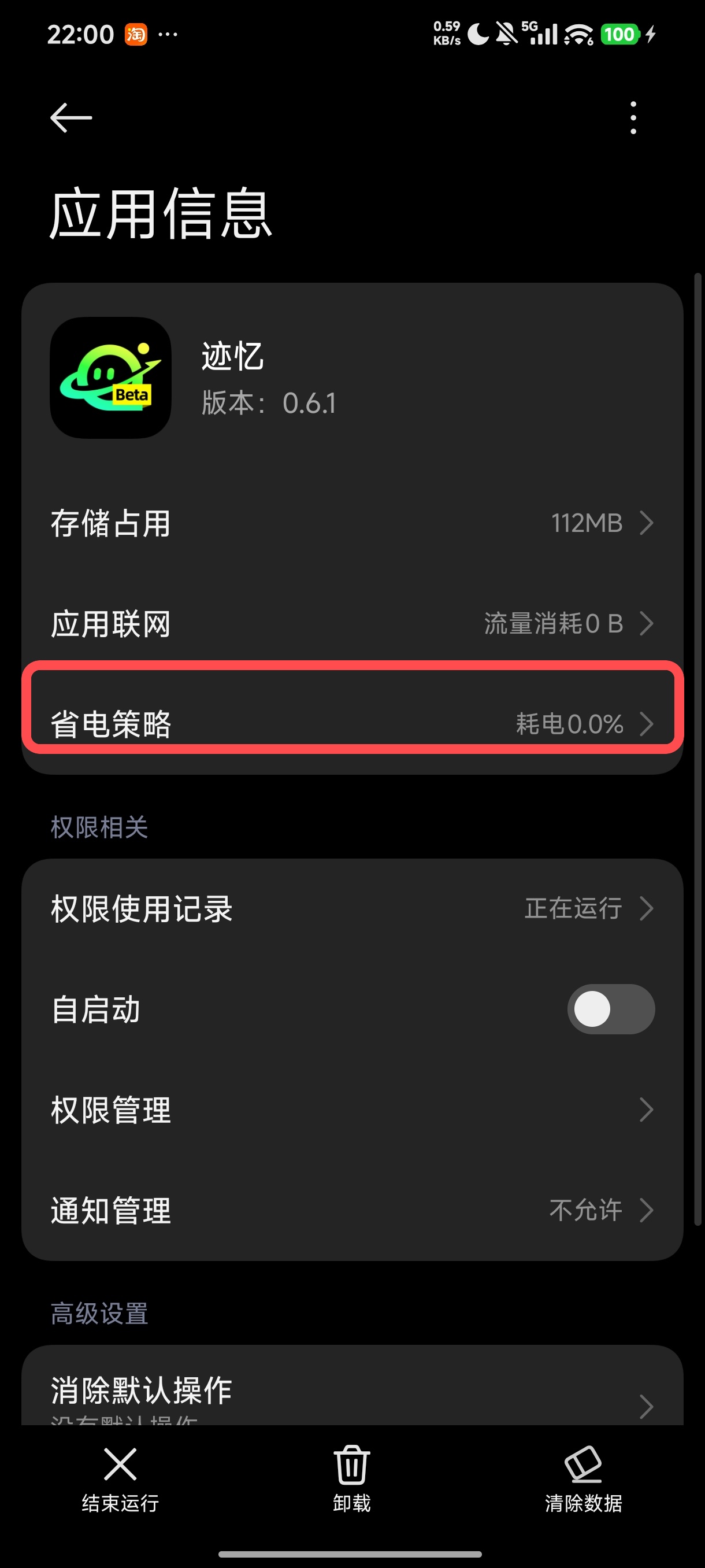
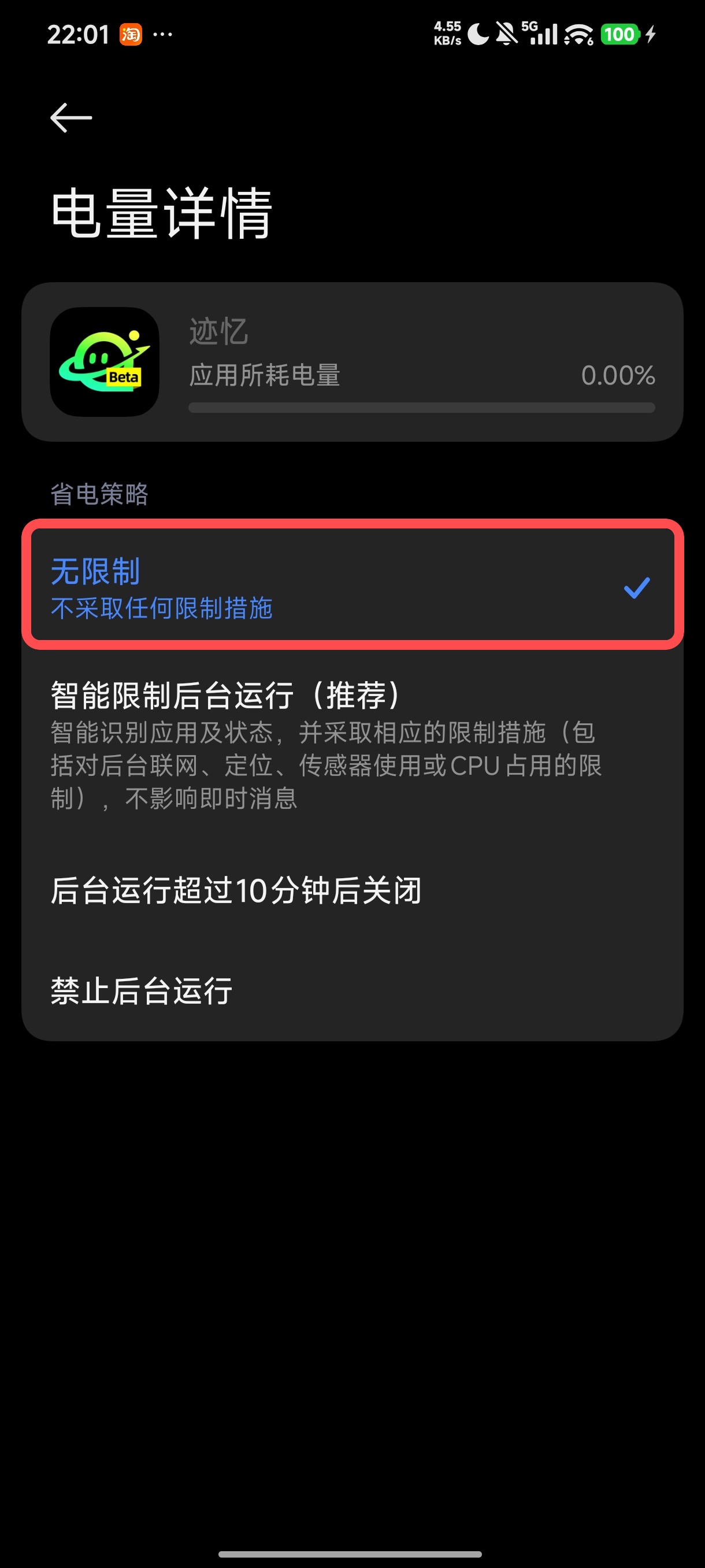
On MIUI or HyperOS, open the settings for MemoLanes and set Battery saver to No restrictions.
- In Settings, search for and open App settings.
- Find and open MemoLanes, then open Battery saver.
- Select No restrictions.
Honor (MagicOS)
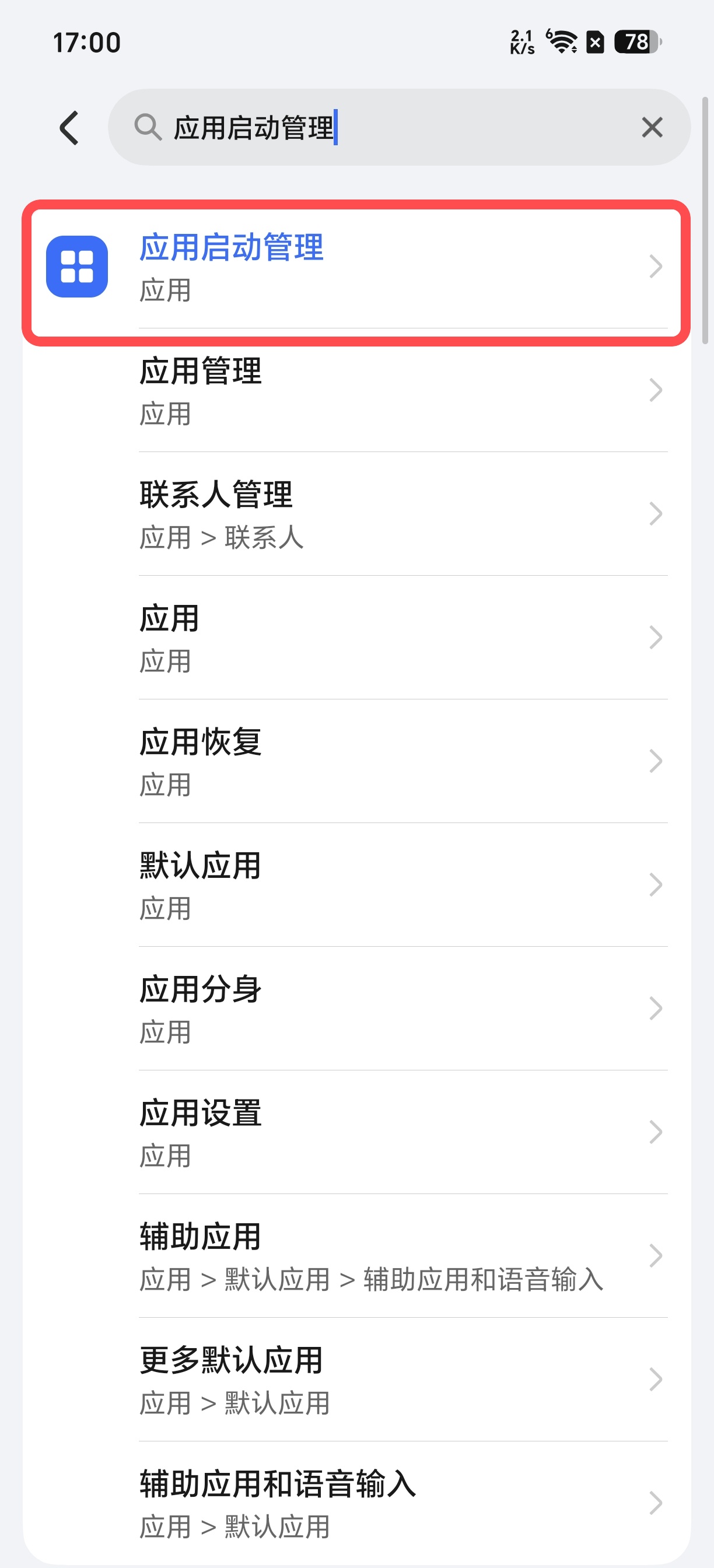
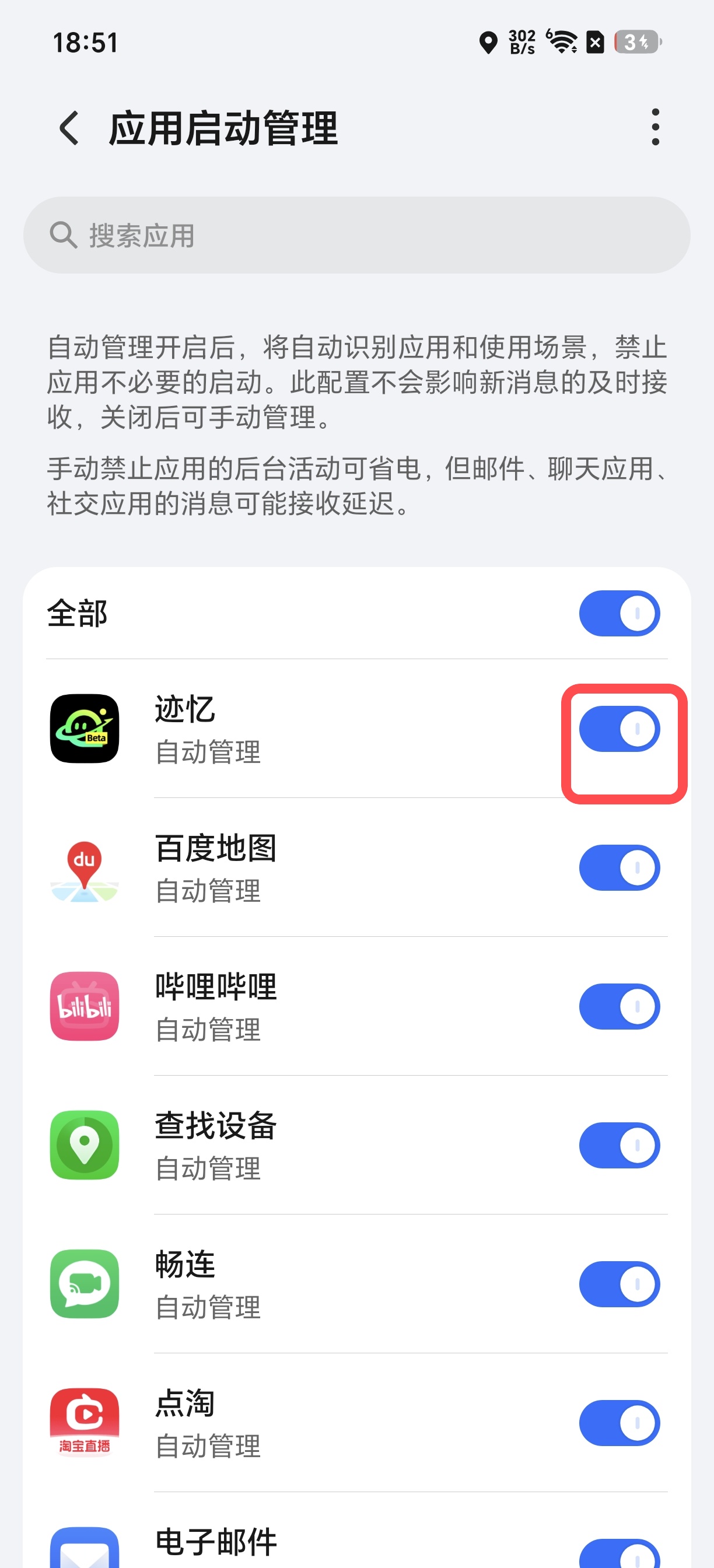
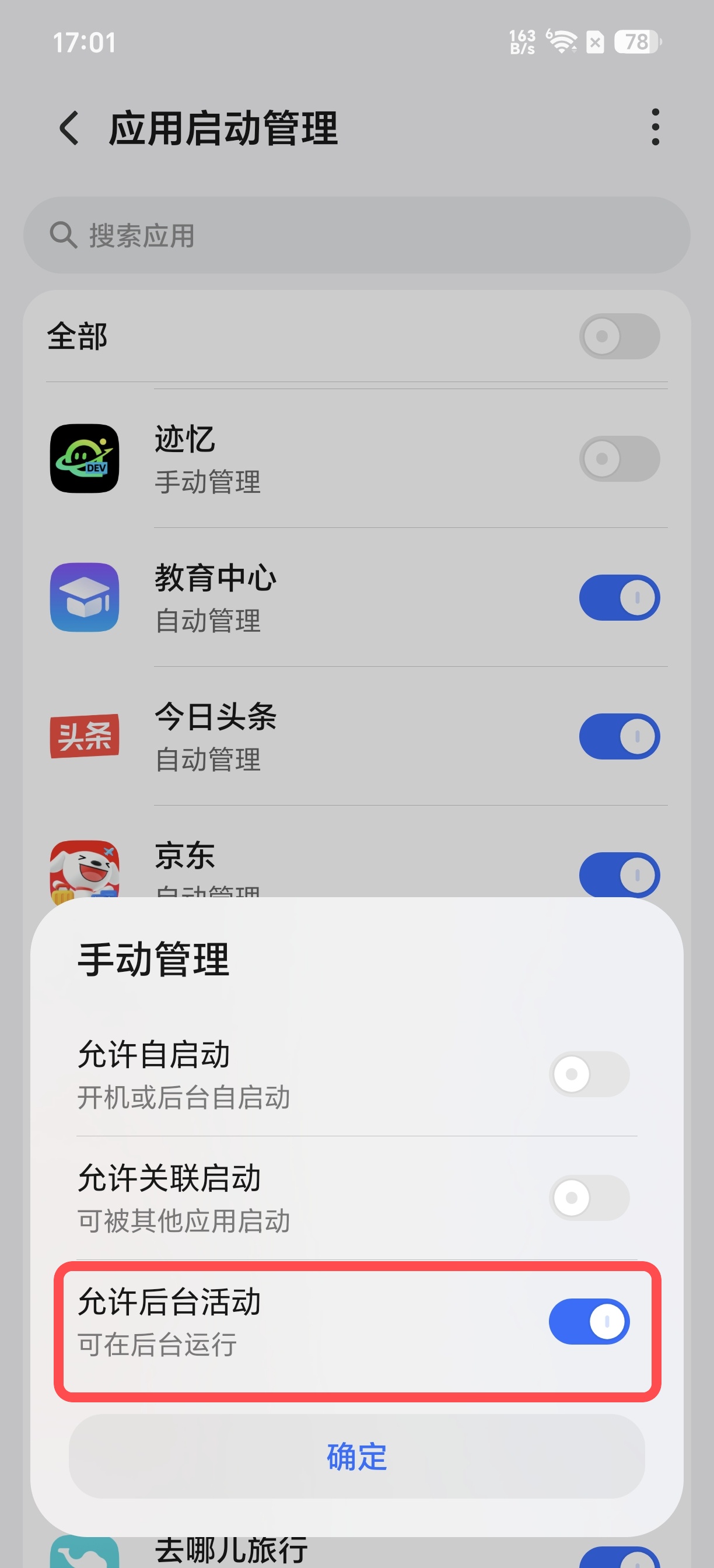
On MagicOS, configure App launch management to allow MemoLanes to continue recording in the background.
- In Settings, search for App launch management and open it.
- Find MemoLanes and turn off Manage automatically.
- Under Manage manually, enable Run in background, then tap OK.
Other Android devices (OPPO, OnePlus, realme, vivo, iQOO, and Samsung)
First, remove battery restrictions for MemoLanes. Go to Settings → Apps → MemoLanes → Battery, then select Unrestricted, No restrictions, or the least restrictive option available. Next, go to Settings → Location → App location permissions and select Allow all the time for MemoLanes. The manufacturer-specific controls below may have different names, such as Background activity, Battery optimization, or Sleeping apps.
-
OPPO, OnePlus, and realme: Go to Settings → Apps → MemoLanes and allow background activity.
-
vivo and iQOO: Set battery optimization to Don’t optimize, or allow high background power usage.
-
Samsung: Go to Settings → Battery and device care → Battery → Background usage limits, then add MemoLanes to Never sleeping apps.